
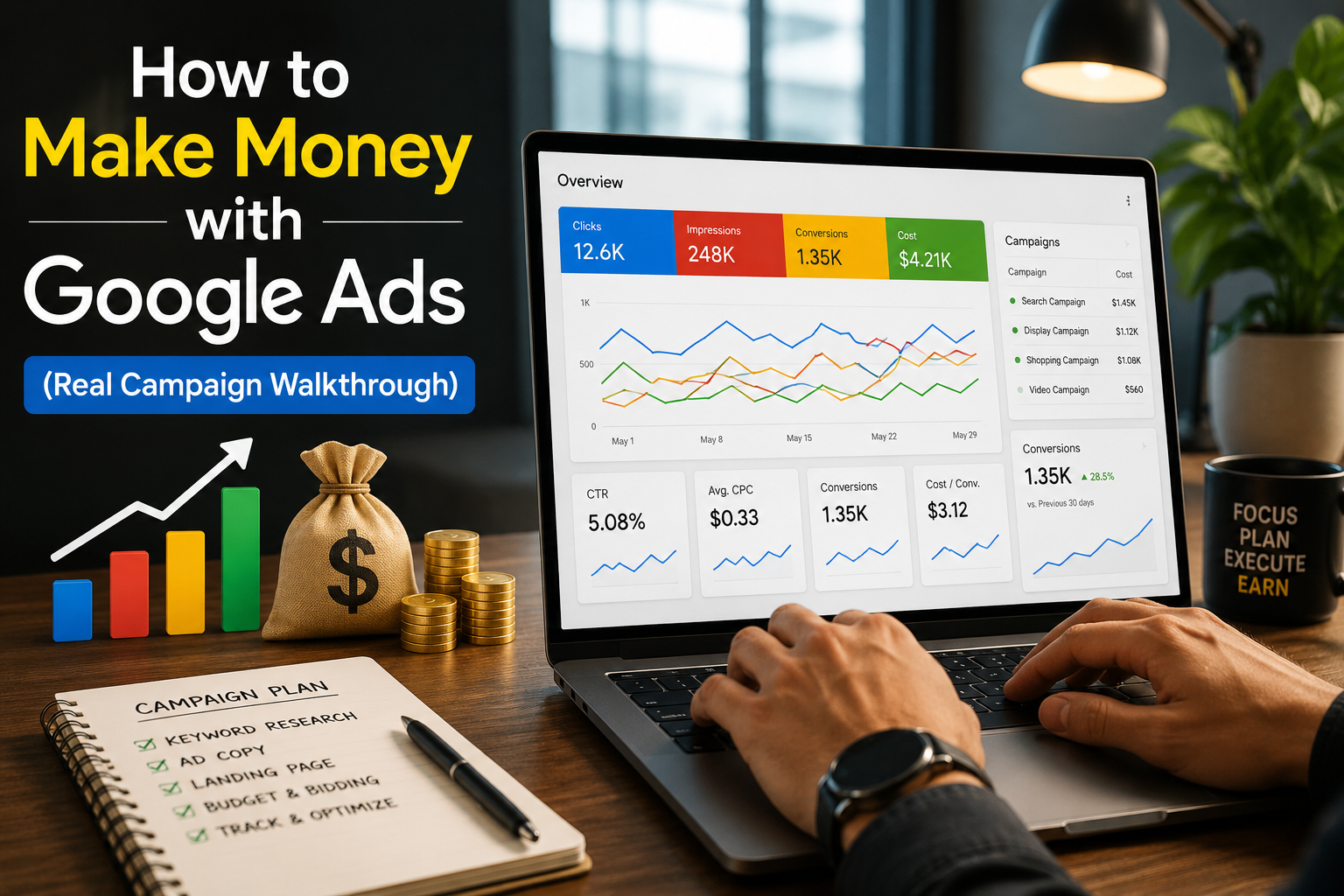
Introduction to Google Ads and Online Earning Potential
Google Ads is Google’s online advertising platform. It lets businesses show ads on Google Search, YouTube, Gmail, and millions of partner websites. Every time someone searches for something on Google, ads appear at the top of the results. Those ads are powered by Google Ads.
So how do people make money with it?
There are two main ways. First, businesses use Google Ads to get more customers — they run ads to drive sales, leads, or phone calls. Second, marketers and freelancers manage Google Ads for those businesses and get paid for their expertise.
The model that makes all of this work is called Pay-Per-Click (PPC). You only pay when someone actually clicks on your ad. This makes it a highly measurable and controllable way to advertise.
Google Ads manages over $200 billion in ad spend yearly. That means there is enormous money flowing through this platform — and skilled people who know how to manage it are in very high demand.
How Google Ads Actually Generates Income
Pay-Per-Click Model Explained
When you create a Google Ads campaign, you bid on keywords — the words people type into Google. When someone searches for that keyword and clicks your ad, you pay Google a fee. That fee is called the Cost Per Click (CPC).
Here is the simple logic:
- You bid on ‘plumber in Dubai’ — CPC is $2.00
- Someone clicks your ad and calls the business — that call is worth $80 to the client
- You made $78 in value from a $2 spend
The goal is always to spend less on clicks than you earn from conversions. That difference is your profit (or your client’s ROI).
Where the Profit Comes From (Clients, Sales, Leads)
There are several places where the actual money is generated:
- Client retainers — You manage Google Ads for businesses and charge a monthly management fee
- Direct sales — You run ads for an e-commerce store and earn from product sales
- Lead generation — You capture leads through ads and sell them to service businesses
- Affiliate commissions — You drive traffic to affiliate offers and earn a commission per sale
- Local services — You generate calls or form fills for local businesses like plumbers, dentists, and salons
Step-by-Step Real Google Ads Campaign Walkthrough
Let’s walk through a real campaign setup from scratch. We’ll use a local service business — a home cleaning company — as our example.
Step 1 – Keyword Research Strategy
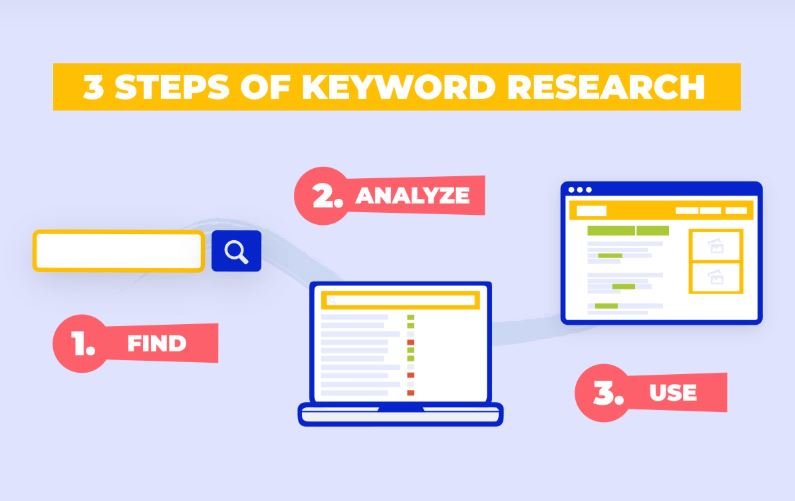
Start by finding what your target customers are actually searching for. Use Google Keyword Planner (it’s free inside Google Ads) or tools like Semrush and Ubersuggest.
Focus on these keyword types:
- High-intent keywords: ‘house cleaning service near me’, ‘hire cleaning company’
- Long-tail keywords: ‘affordable home cleaning service in Dubai’
- Avoid broad keywords: ‘cleaning’ or ‘home’ — these waste your budget
Group similar keywords into tightly themed ad groups. One theme per ad group gives you better Quality Scores.
Step 2 – Campaign Setup in Google Ads
Go to ads.google.com and click ‘New Campaign’. Choose your goal — for services, choose ‘Leads’. Select ‘Search’ as the campaign type.
Key settings to configure:
- Campaign name: keep it descriptive — ‘Cleaning Service – Search – Dubai’
- Networks: uncheck ‘Display Network’ — keep it Search only for now
- Locations: target only where you serve customers
- Languages: match the language your customers search in
- Start/end dates: set them, don’t leave campaigns running indefinitely without review
Step 3 – Ad Copy Creation That Converts
Your ad is the first thing a potential customer sees. It must be clear, relevant, and compelling.
Use Responsive Search Ads (RSAs). Google lets you write up to 15 headlines and 4 descriptions. Google tests combinations and shows the best-performing ones.
Best practices for ad copy:
- Include the keyword in at least one headline
- Use a clear call to action: ‘Get a Free Quote’, ‘Book Today’, ‘Call Now’
- Highlight your unique selling points: ‘Trusted by 500+ Families’, ‘5-Star Rated’
- Add ad extensions: sitelinks, callouts, call extensions — these increase click-through rates
Step 4 – Targeting (Location, Audience, Devices)
Targeting controls who sees your ads. Wrong targeting = wasted budget.
- Location: target specific cities, postal codes, or radius around your business
- Audience: layer in ‘in-market’ audiences for people actively looking for cleaning services
- Devices: check performance by device after 2 weeks. If mobile converts better, increase mobile bid adjustment
- Ad schedule: run ads only when your business can respond to calls or form fills
Step 5 – Budget Setup and Bidding Strategy
Start with a daily budget that gives you at least 10–15 clicks per day. If average CPC is $3, set $30–$45/day minimum.
For new campaigns with no data, use ‘Maximize Clicks’ to gather data fast. Once you have 30–50 conversions, switch to ‘Target CPA’ or ‘Maximize Conversions’.
Never start with ‘Target ROAS’ as a new campaign — it needs historical data to work properly.
Step 6 – Conversion Tracking Setup
This is the most important step. Without conversion tracking, you are flying blind. You will not know which keywords, ads, or clicks are actually bringing in customers.
Set up at minimum:
- Form fill tracking — when someone submits a contact form
- Phone call tracking — when someone calls from the ad or the website
- WhatsApp click tracking — if you use WhatsApp for inquiries
Install the Google Ads tag on your website through Google Tag Manager. Test it with Google Tag Assistant before going live.
Step 7 – Optimization After Launch
Launching the campaign is just the beginning. Real results come from ongoing optimization.
Week 1–2: focus on data collection. Don’t change too much too early.
Week 3 onwards:
- Review the Search Terms Report — add irrelevant terms as negative keywords
- Pause keywords with high spend and zero conversions
- Test new ad headlines based on what’s getting the most impressions
- Adjust bids for top-performing locations and devices
- Review Quality Score — fix low scores by improving ad relevance and landing page
Different Ways to Make Money with Google Ads
Freelancing & Client Management
This is the most common entry point. Businesses need Google Ads experts but can’t afford to hire full-time. You step in as a freelancer or agency.
Typical earnings:
- Beginner freelancers: $300–$800/month per client
- Experienced PPC managers: $1,000–$3,000/month per client
- With 5 clients, that’s $5,000–$15,000/month in recurring revenue
Platforms to find clients: Upwork, Fiverr, LinkedIn, and cold outreach to local businesses.
Affiliate Marketing Campaigns
You promote other companies’ products through Google Ads. When someone clicks your ad, lands on the affiliate offer, and buys — you earn a commission.
This model requires careful niche selection. High-ticket affiliate products (software, finance, insurance) work best because commissions are high enough to cover ad spend and still profit.
Important: Always check if the affiliate program allows paid traffic before spending a dollar.
Lead Generation Business Model
You build a landing page for a specific service — say, ‘window replacement in Chicago’. You run Google Ads to that page. When someone fills the form, you sell that lead to a local contractor for $30–$100 per lead.
This is sometimes called ‘lead gen’ or ‘digital real estate’. It scales well because you can replicate the model across multiple cities and niches.
E-commerce & Dropshipping Ads
You run Google Shopping or Search campaigns to drive sales for a Shopify or WooCommerce store. Either you own the store or manage it for a client.
Google Shopping ads show product images, prices, and store names directly in search results — they typically convert better than text ads for product searches.
Local Service Lead Generation
This is ideal for beginners. Pick one local service niche (dentists, plumbers, HVAC companies, law firms) and specialize in running Google Ads for them.
Local businesses often have no idea how to run PPC. You bring real, measurable results — calls and bookings — and charge a flat monthly retainer or a percentage of ad spend.
Budget Requirements for Beginners
One of the biggest questions: how much do you need to start?
The truth is, it depends on the niche and location. But here are realistic starting points:
| Business Type | Minimum Monthly Budget |
| Local service (low-comp city) | $300 – $600 |
| Local service (high-comp city) | $800 – $1,500 |
| E-commerce (product ads) | $500 – $1,000 |
| Affiliate marketing | $500 – $2,000 |
| Lead gen (niche-specific) | $400 – $800 |
Low budget strategy: start with exact match keywords only, run a single tight ad group, and set a conservative daily cap. Scale up only when you see consistent conversions.
Expected ROI for a well-managed campaign: most service businesses see a 3x–8x return on ad spend once the campaign is optimized. This means for every $100 spent, they earn $300–$800 in revenue.
Common budgeting mistakes to avoid:
- Setting a budget too low to get meaningful data (under $10/day is usually too little)
- Pausing the campaign too early — give it at least 30 days before judging
- Not adjusting bids after the first two weeks based on performance data
Common Mistakes Beginners Make

Wrong Keyword Targeting
Beginners often use broad match keywords without understanding how dangerous they are. A broad match keyword like ‘plumber’ can trigger for searches like ‘plumber salary’, ‘how to become a plumber’, or ‘plumbing school’ — none of which will convert into a customer.
Fix: Start with exact match and phrase match only. Review the Search Terms Report weekly and add irrelevant terms as negatives.
No Conversion Tracking
Running Google Ads without conversion tracking is like driving with your eyes closed. You spend money but have no idea what is working.
Fix: Set up conversion tracking before you spend a single rupee or dollar. Google Tag Manager makes this straightforward even without a developer.
Poor Landing Page Experience
Even if your ad is perfect, a slow or confusing landing page will kill conversions. Google also measures landing page quality — a poor experience lowers your Quality Score and raises your CPC.
Fix: Your landing page should match the ad’s message exactly. It must load in under 3 seconds, have a clear headline, and one strong call to action above the fold.
Ignoring Search Terms Report
The Search Terms Report shows exactly what people typed before clicking your ad. Many beginners never look at it. This is a major mistake.
Fix: Review it every week. Add irrelevant terms as negative keywords. You’ll save significant budget this way and improve your conversion rate.
Expert Tips to Maximize ROI

Once the basics are in place, these strategies separate average campaigns from highly profitable ones.
Quality Score improvement: Quality Score (1–10) affects both your ad position and your CPC. A score of 8–10 means you pay less and rank higher than a competitor with a lower score. Improve it by tightening keyword-to-ad-to-landing-page relevance.
Ad relevance optimization: every ad group should have a single theme. If someone searches ’emergency plumber’, they should see an ad specifically about emergency plumbing — not a generic ‘hire a plumber’ message. The more relevant the ad, the higher the CTR.
Negative keywords strategy: build a negative keyword list before you launch. Use the Google Keyword Planner to spot irrelevant terms in advance. Common negatives: ‘free’, ‘DIY’, ‘jobs’, ‘salary’, ‘how to’, ‘course’.
A/B testing ads: always run at least 2–3 ad variations per ad group. Test one element at a time — headline, call to action, or description. After 200–300 impressions, pause the weaker ad and create a new challenger against the winner.
Realistic Example of a Profitable Campaign
Let’s look at a simple, real-world case study.
Business: AC Repair Service, Dubai
Goal: Generate service call bookings
| Metric | Result |
| Monthly Ad Spend | $600 |
| Avg. CPC | $2.50 |
| Total Clicks | 240 |
| Conversion Rate (calls) | 12% |
| Total Calls Generated | 29 calls |
| Avg. Job Value | $90 |
| Total Revenue Generated | $2,610 |
| Net Profit After Ad Spend | $2,010 |
| ROAS | 4.35x |
This is a realistic outcome for a local service campaign managed properly after 60 days of optimization. In month one, results were lower — around 2.5x ROAS. By month two, after removing wasted keywords, improving the landing page, and adjusting bid strategy, the campaign hit 4.35x.
The client paid a $500/month management fee. Total monthly income for the freelancer: $500. Total value delivered to the client: $2,010 net profit. That’s a win for both sides.
Conclusion
Making money with Google Ads is real, achievable, and scalable — but it requires the right approach. It is not a ‘set it and forget it’ tool. It rewards those who learn the platform, track their data, and keep optimizing.
Whether you want to grow your own business, freelance for clients, or build a lead generation agency — Google Ads is one of the most powerful skills you can have in 2025 and beyond.
Here is what to do next:
- Create a free Google Ads account at ads.google.com
- Set up conversion tracking before spending any budget
- Start with one tight campaign, 1–2 ad groups, exact match keywords
- Review your Search Terms Report every week
- Keep optimizing — every data point tells you something valuable
Every expert Google Ads manager started exactly where you are right now. The difference is they started. Now it’s your turn.
Written by an experienced PPC strategist. This article is optimized for Yoast SEO with a primary keyword focus on ‘make money with Google Ads’.
