
Table of contents
- A Plain-English Guide for UK Small Businesses (2026)
- What Is Performance Max?
- How Performance Max Works
- Performance Max vs. Standard Google Search Campaigns
- What You Need Before You Launch a PMax Campaign
- Setting Up Performance Max: The Key Decisions
- The Three Mistakes That Sink Most PMax Campaigns
- Is Performance Max Right for Your Business?
- What’s New in Performance Max for 2026
A Plain-English Guide for UK Small Businesses (2026)
If you’ve logged into your Google Ads account recently and noticed Google nudging you toward something called “Performance Max,” you’re not alone. Thousands of UK business owners are seeing the same thing — and most of them are equally unsure whether to click yes or close the tab and pretend they never saw it.
Performance Max is Google’s most powerful campaign type. It’s also the most misunderstood. Done right, it can deliver more leads and sales from your ad budget than any other campaign type Google offers. Done wrong — or handed to the algorithm without proper setup — it quietly burns your budget across YouTube ads nobody watches and Gmail banners nobody clicks.
This guide cuts through the confusion. By the end, you’ll know exactly what Performance Max is, how it works under the hood, when it makes sense for a small business, and the three mistakes that cause most PMax campaigns to underperform.
TABLE OF CONTENTS
- What Is Performance Max?
- How Performance Max Works
- Performance Max vs. Standard Search Campaigns
- What You Need Before You Launch
- Setting Up PMax: The Key Decisions
- The Three Mistakes That Sink Most PMax Campaigns
- Is Performance Max Right for Your Business?
- What’s New in Performance Max for 2026
- FAQ
- Conclusion
SECTION 1
What Is Performance Max?
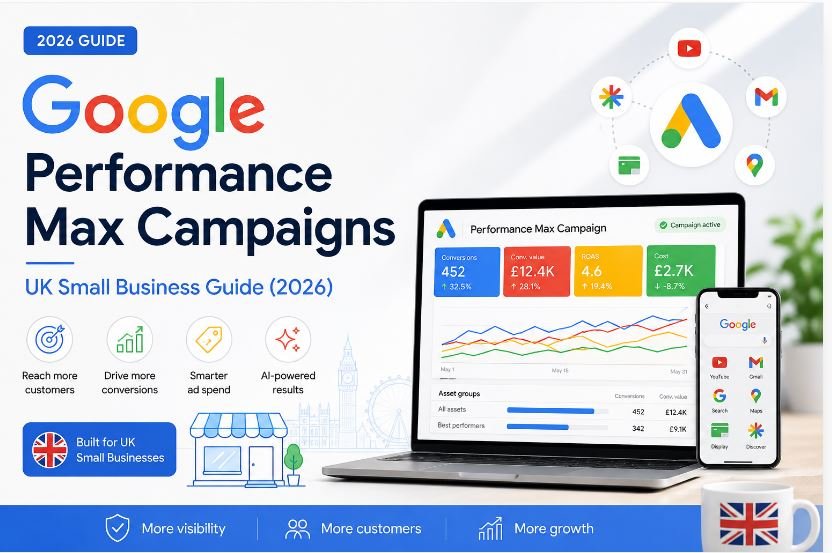
Performance Max — usually shortened to PMax — is an automated Google Ads campaign type that shows your ads across every single platform Google owns, all from one campaign.
That means your ads can appear on:
- Google Search — when someone types a query
- Google Shopping — product listings with images and prices
- YouTube — pre-roll and mid-roll video ads
- Gmail — sponsored messages in inboxes
- Google Display Network — banner ads on millions of websites
- Google Maps — local ads when people search nearby
- Google Discover — the content feed on Android phones
Before PMax existed, running ads across all these channels meant setting up and managing seven separate campaigns. Now Google handles all of it from one place, using artificial intelligence to decide where, when, and who to show your ads to.
By early 2026, Performance Max accounts for 45% of all Google Ads conversions. Understanding how it works is no longer optional for any UK business spending money on Google.
Since replacing Smart Shopping and Local campaigns in 2022, PMax has evolved from a black-box automation tool into a sophisticated AI system that advertisers can meaningfully guide — if they understand how to work with its logic rather than against it.
SECTION 2
How Performance Max Works
The engine behind PMax is Google’s machine learning system. Here’s what actually happens when you run a PMax campaign:
You provide the ingredients
You give Google a set of creative assets — headlines, descriptions, images, logos, and optionally videos. These live inside what Google calls “Asset Groups.” Think of an asset group as a bundle of content targeting one theme or audience type.
Google does the combining
From your assets, Google automatically generates thousands of ad variations, mixing and matching your headlines, images, and descriptions to create ads suited to each placement. A combination that works on Gmail probably looks different from one that works on YouTube.
The algorithm finds your buyers
You tell Google your conversion goal — phone calls, form submissions, purchases, store visits. The algorithm then tests different audiences, placements, and ad combinations to find the people most likely to take that action. Over time, it learns and shifts spend toward whatever is working.
You guide it through audience signals
Unlike traditional campaigns where you control exactly who sees your ads, PMax uses your audience signals as suggestions, not rules. You can upload your customer email list, add website visitor data, or specify interest categories. The algorithm uses this as a starting point, then expands from there to find similar users.
The algorithm can find audiences and placements you’d never have thought to target yourself. It can also spend money in ways you wouldn’t approve if you saw them in advance. Proper setup is everything.
SECTION 3
Performance Max vs. Standard Google Search Campaigns

Most small businesses run Search campaigns — text ads that appear when someone types a specific keyword. It’s direct, predictable, and easy to understand. PMax is different in almost every dimension.
| Factor | Standard Search | Performance Max |
| Where ads appear | Google Search only | All Google platforms |
| Keyword control | Full — you choose every keyword | Limited — you set themes, Google decides |
| Audience control | Strong — you define who sees ads | Guided — signals only |
| Creative control | High — you write specific ads | Medium — you supply assets, Google mixes them |
| Reporting detail | Detailed keyword-level data | Improving, but still limited vs Search |
| Best for | Capturing specific high-intent searches | Broader reach + conversion volume |
| Learning period | 1–2 weeks | 4–6 weeks typically |
| Min. conversions | 10–20/month to optimise well | 30–50/month recommended |
Neither is better. They serve different purposes. Most serious advertisers run both simultaneously — Search for precise, high-intent traffic, and PMax for broader reach and discovery. The biggest mistake businesses make is treating PMax as a replacement for Search rather than a complement to it.
SECTION 4
What You Need Before You Launch a PMax Campaign
This is where most small businesses go wrong. They launch PMax with whatever they have lying around, hand it to the algorithm, and then wonder why money disappeared. Before you create a PMax campaign, three things must be in place:
1. Proper conversion tracking
This is non-negotiable. PMax’s AI learns by optimising toward conversions. If your conversion tracking is broken, missing, or counting meaningless actions (like page views), the algorithm has no reliable signal. At minimum, you need to track:
- Phone calls from your website using Google’s call tracking
- Form submissions tracked as Google Ads goals
- Purchases or ecommerce transactions (for retail)
- Offline conversions if your sales happen off-website
2. Quality creative assets
PMax generates ads from the assets you provide. If your images are blurry, your headlines are generic, and you have no video — your ads will look poor across YouTube, Display, and Discover. At minimum you need:
- 3–5 headlines (15–30 characters each)
- 2–3 descriptions (up to 90 characters each)
- 3 landscape images (1200x628px minimum)
- Your logo in square and landscape formats
- At least one short video (15–30 seconds — even a smartphone video is better than auto-generated)
3. A realistic budget and patience
PMax needs time. The algorithm requires roughly 30–50 conversions to exit its learning phase and start optimising properly. If you’re spending £600/month and converting at 5%, you’ll be in learning mode for several weeks. Start with a budget you can sustain for at least 6–8 weeks before judging results.
SECTION 5
Setting Up Performance Max: The Key Decisions
Once your tracking is confirmed and assets are ready, four decisions during setup matter most:
Decision 1: Your conversion goal
Choose one primary conversion action. In 2026, Google emphasises streamlined conversion setups — fewer, higher-value goals lead to better optimisation. Don’t load PMax with five different conversion types and expect coherent results.
Decision 2: Your bidding strategy
For most small businesses, start with “Maximise Conversions.” This tells Google to get you as many conversions as possible within your budget, without a specific cost target. Once you’ve accumulated 30+ conversions, switch to “Target CPA” (your maximum acceptable cost per lead) or “Target ROAS” (your target return on ad spend). Avoid setting a Target CPA immediately on launch — the algorithm can’t hit a cost target with no data to inform it.
Decision 3: Your audience signals
This is the most underused setting in PMax for small businesses. The best signals, in order of quality:
- Your customer email list — upload directly, this is your highest-value signal
- Website visitors from the past 90 days (via remarketing tag)
- Converters from your existing Search campaigns
- Custom intent audiences — people who’ve searched specific keywords recently
Decision 4: Search themes
Search themes allow you to specify up to 25 keyword themes per asset group, giving PMax directional input for the Search channel without the full control of manual keyword bidding. Use these to point the algorithm toward your most valuable search queries. For a UK plumbing business, examples might be: “emergency plumber London,” “boiler repair same day,” “gas safe engineer Wolverhampton.”
SECTION 6
The Three Mistakes That Sink Most PMax Campaigns

Mistake 1: Broken or incomplete conversion tracking
This kills campaigns before they start. If Google is optimising toward the wrong action — or toward no measurable action at all — no amount of budget will fix the results. Before touching anything else, open Google Ads → Tools → Conversions and verify that conversion actions are recording accurately and tagged as “Primary” rather than “Secondary.”
Mistake 2: Letting PMax cannibalise branded search traffic
If you’re running a branded Search campaign (bidding on your own company name), PMax will often compete for the same branded queries — inflating your conversion numbers while actually stealing credit for traffic you’d have received anyway. Use the PMax brand exclusion feature to prevent the campaign from serving on your brand queries. Path: Campaign settings → Brand exclusions → Add your brand name.
Mistake 3: Making major changes during the learning phase
The first 4–6 weeks are critical. The algorithm is gathering data and calibrating. During this period, changing your budget significantly, switching bidding strategies, or adding new asset groups resets the learning — effectively sending you back to day one. Set your campaign up properly from the start, commit to a budget you can sustain for 6 weeks, and resist the urge to tinker.
Weekly check-ins for obvious problems are fine. Structural changes during the learning phase are almost never worth the disruption they cause.
SECTION 7
Is Performance Max Right for Your Business?
PMax is not universally the right choice. Here’s an honest assessment:
PMax tends to work well for:
- Ecommerce businesses with a product feed — Shopping integration is one of PMax’s biggest strengths
- Local service businesses (plumbers, electricians, solicitors) with a clear call or form-fill goal
- Businesses with remarketing audiences — the more customer data you can feed in, the faster it learns
- Businesses that can commit to 60–90 days — PMax builds momentum over weeks, not days
PMax tends to underperform for:
- New businesses with no conversion history — start with Search, build a base, then add PMax later
- Very niche B2B businesses where the target audience is extremely narrow
- Businesses without proper tracking — you’ll hand Google an unclear signal and get unpredictable results
- Businesses that need leads this week — a focused Search campaign gets you there faster
One thing worth saying plainly: PMax is not a replacement for a weak offer or a poorly converting website. It amplifies what’s already there. If your landing page doesn’t convert visitors, more traffic will just mean more wasted budget.
SECTION 8
What’s New in Performance Max for 2026
Google has been updating PMax rapidly throughout 2026. The changes worth knowing about:
Asset A/B Testing — launched June 8, 2026
Google launched native Performance Max asset A/B experiments on 8 June 2026. For the first time, you can run formal split tests on your asset groups — comparing two sets of creative with statistical significance reporting. This is a significant step forward for anyone who previously felt they were optimising in the dark.
AI Max
AI Max is Google’s next evolution of Performance Max, using agentic AI to autonomously optimise audiences, bids, and creative assets across Search, Display, Shopping, and YouTube. The key difference from standard PMax: AI Max can independently generate new creative assets, test them, and retire underperformers — reducing the manual creative refresh burden on advertisers.
Improved Search Terms Reporting
One of the longest-standing complaints about PMax was that advertisers couldn’t see which search queries triggered their ads. By 2026, PMax now provides asset-level performance ratings, channel breakdowns per asset group, audience insights showing who is converting, and Search Terms reports for search-originated traffic — significantly better transparency than PMax had at launch.
Demand Gen Expansion
Demand Gen (formerly Discovery campaigns) now sits alongside PMax as a separate campaign type for top-of-funnel discovery across YouTube, Gmail, and Discover. Demand Gen spend jumped 192% year-over-year. Many advertisers now run both — PMax for conversion-focused activity and Demand Gen for brand awareness — in a complementary structure.
